How to know the Gamecheck SEAL is real
7 min read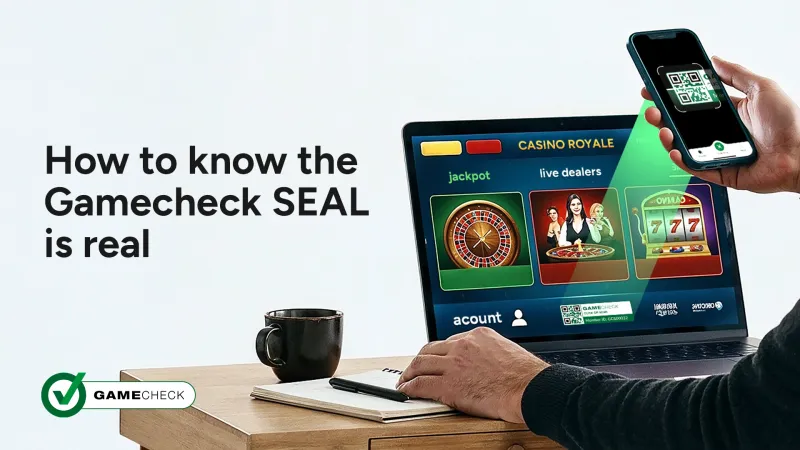
When you find an online casino you like the look of, it's natural to want to trust it. A well-designed site, a generous welcome offer, and a badge of credibility in the footer can all feel reassuring. But a logo on a page doesn't mean much on its own. What matters is whether that badge is real and actually does something.
The Gamecheck SEAL does. In this article, we will walk you through exactly how to check it - because knowing the difference between a real SEAL and an imitation is one of the most practical things you can do to protect yourself as an online casino player.
We've also put together a short video that shows the full process from start to finish. Watch it below, then read on for everything you need to know.
Start with the Gamecheck app
The Gamecheck SEAL works in conjunction with the Gamecheck app, so that's your starting point. Download the Gamecheck app from Google Play Store or Apple App Store - it's free. Once you have the app, you're ready to check any online casino displaying the SEAL.
The Gamecheck app is built specifically to help players check the authenticity of the Gamecheck SEAL displayed on online casino websites. It lets you instantly verify a seal, receive real-time alerts when Gamecheck flags an online casino for offering fake games, and follow your favourite sites to stay informed about their game authenticity over time.
Only the Gamecheck app can confirm whether a Gamecheck SEAL is real, which means there's no way for a rogue operator to replicate that result or pass off a fake as real.
Finding the Gamecheck SEAL on an online casino
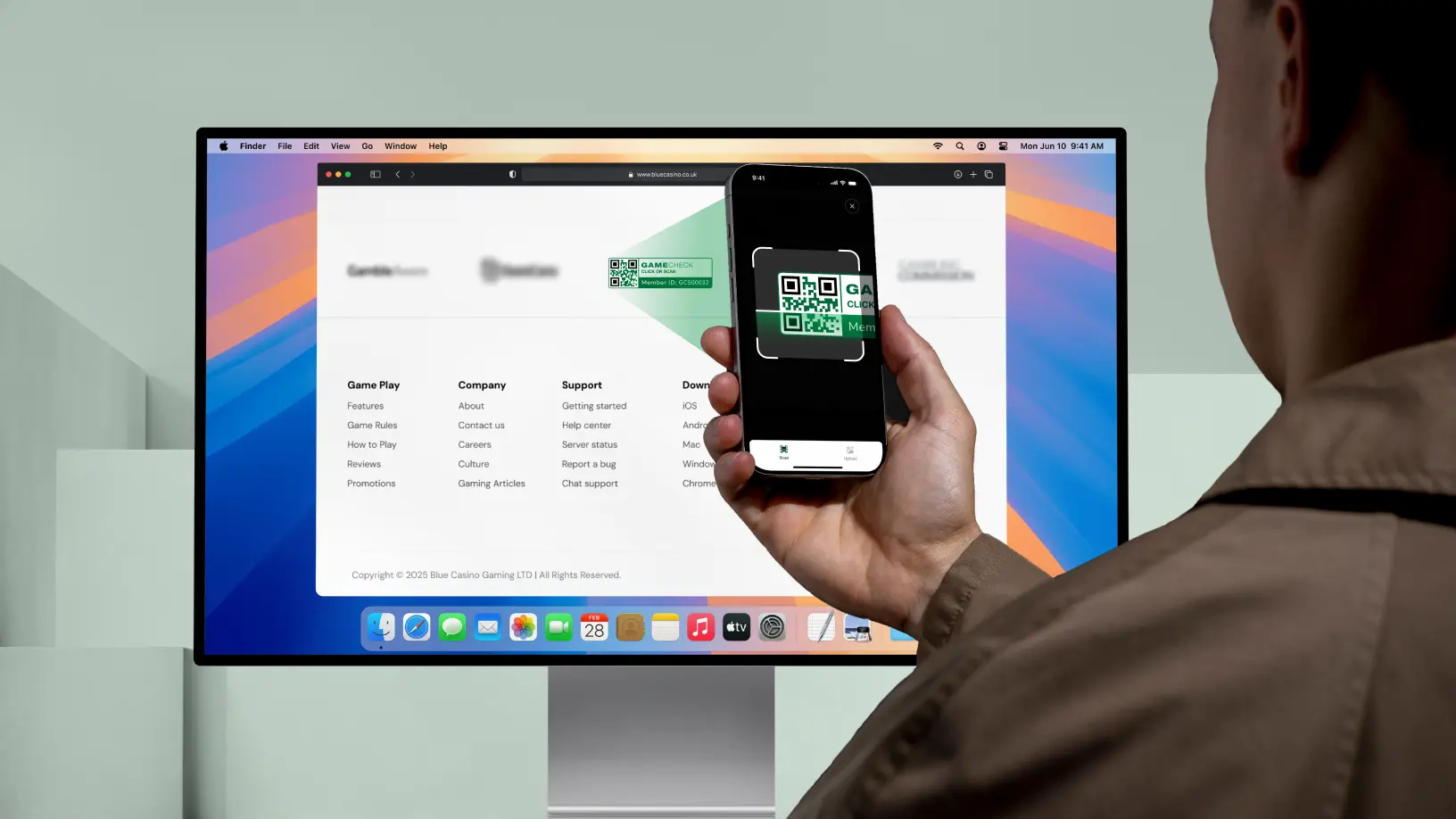
When you visit an online casino, scroll down to the footer of the page. This is where operators display trust badges. If the online casino holds a Gamecheck SEAL, you'll find it there.
You might notice that some Gamecheck SEALs say "New Member" while others display a unique Gamecheck ID. Here's what that means: "New Member" appears when an online casino has recently been approved and is in the early stage of its Gamecheck membership.
As their profile builds, this updates to a unique Gamecheck ID that's specific to their domain. Both are real - the key is what happens when you click and scan.
Scan the SEAL. That's the check
A real Gamecheck SEAL is a live, dynamic trust badge. It doesn't just sit on the page looking convincing. When you click it, it links directly to the Gamecheck app and pulls up that casino's verified profile.
This is the part that can't be faked. Each Gamecheck SEAL contains a unique QR code linked to a specific domain. It's scannable through the Gamecheck app, and all activity is logged on the blockchain - meaning it's transparent, time-stamped, and permanent.
If the Gamecheck SEAL doesn't link to the Gamecheck app, or takes you somewhere else entirely, that's not a real Gamecheck SEAL. The Gamechek SEAL also helps combat phishing by default because the real SEAL can only be authenticated by the app. If someone copies a Gamecheck SEAL, we can block it from the app and expose the fake seal simultaneously.
The QR code, and what it means
Every Gamecheck SEAL includes a unique QR code that can only be scanned using the Gamecheck app. This is what makes the system secure - the QR code can't be faked or copied, it displays the live status of the online casino, and it gives you instant access to that casino's Gamecheck profile page. Scan the QR code with the Gamecheck app to view the online casino's current verification status.
It's also worth being clear about what the Gamecheck SEAL confirms. It tells you that multiple games from multiple providers have been checked and verified as genuine by the original game owners. That's a meaningful indicator of how a casino operates. But it's one layer of assurance, not the full picture. You should still review the casino's terms and conditions, make sure it's legally authorised in your country, and treat the Gamecheck SEAL as part of your decision, not the only factor in it.
The Gamecheck SEAL confirms that a sample of games tested were verified as real by the original game providers. It is not a guarantee for every single game on the platform. If you come across a seal that looks suspicious, or you suspect the Gamecheck logo is being misused, scan it using the Gamecheck app to check its authenticity.
If you suspect a Gamecheck SEAL might be fake or misused, open the Gamecheck app and request a verification for that online casino. The Gamecheck app checks the SEAL’s authenticity in real time, and any misuse is reviewed by Gamecheck’s verification team. You can also report it via the Gamecheck website or by emailing help@gamecheck.com.
What you can do inside the Gamecheck app
Once you have the app, you don't need to sign up or create an account, download it and you can start verifying immediately. Every feature is designed with one goal in mind: to help players stay informed and play smarter.
Verify the Gamecheck SEAL. The Gamecheck SEAL is authenticated exclusively through the Gamecheck app, preventing unauthorised duplication. Simply scan or tap the QR code on the seal, the app will instantly confirm whether it's valid, active, or revoked. You can also upload a screenshot if you prefer. No other tool or platform can replicate this.
Identify fake games. The app uses verification data provided directly by the original game providers to detect fake or unauthorised copies, ensuring that verified Gamecheck SEALs display only genuine, provider-approved games.
Check the online casino's status. The Gamecheck database shows one of three results: real games are in operation, fake games are detected, or the casino is pending checks. This is available for any casino in the Gamecheck database, not only those with a Gamecheck SEAL.
Follow casinos and get real-time updates. You can follow up to six online casinos that hold a Gamecheck SEAL, and receive notifications whenever a new verification check is performed. Whether you're exploring a new casino or keeping tabs on a favourite, it's a straightforward way to stay informed and play with confidence.
Receive fake casino alerts. The app sends alerts when Gamecheck flags an online casino for offering fake games. You don't have to go looking for updates - the information comes to you.
Request a verification check. If you come across an online casino that isn't yet in the Gamecheck database, you can request a check directly through the app. You'll receive a personalised notification as soon as the checks are complete.
Share with the community. You can share flagged casinos with other players through the app, helping to build wider awareness across the online casino gaming community. Player protection works better when players are connected.
Safari extension (iOS). If you're on an iOS device and browsing through Safari, the Gamecheck Safari extension lets you check a casino's Gamecheck SEAL status without leaving the browser.
All data is secured and stored transparently on the blockchain. One result. No manipulation possible. That is what it means for a trust badge to actually be trustworthy.
There is no other version of a Gamecheck SEAL
There is only one official Gamecheck SEAL, that can only be accessed through the Gamecheck app. There are no alternative versions, and no other pages a real Gamecheck SEAL should ever take you to. Each online casino that earns the Gamecheck SEAL is issued with their own unique QR code - so while there is only one official Gamecheck SEAL, every online casino has their own individually assigned QR code that belongs to them alone.
Any online casino displaying the Gamecheck logo without a working, clickable Gamecheck SEAL scannable via the Gamecheck app, is not displaying a real Gamecheck SEAL. This is a breach of how the Gamecheck SEAL is intended to be used.
When a rogue operator copies or uses the Gamecheck logo or Gamecheck SEAL incorrectly, they're doing so to appear credible. They want players to feel reassured without actually providing the reassurance. And where a site goes to that length to appear trustworthy, it often signals something worth looking into more carefully.
Fake seals and fake games tend to go together. A site that isn't willing to go through the Gamecheck verification process is a site that may not want players looking too closely.
A simple habit that goes a long way
Player protection isn't only about deposit limits. It's also about having the information you need to make an informed decision before you part with your money.
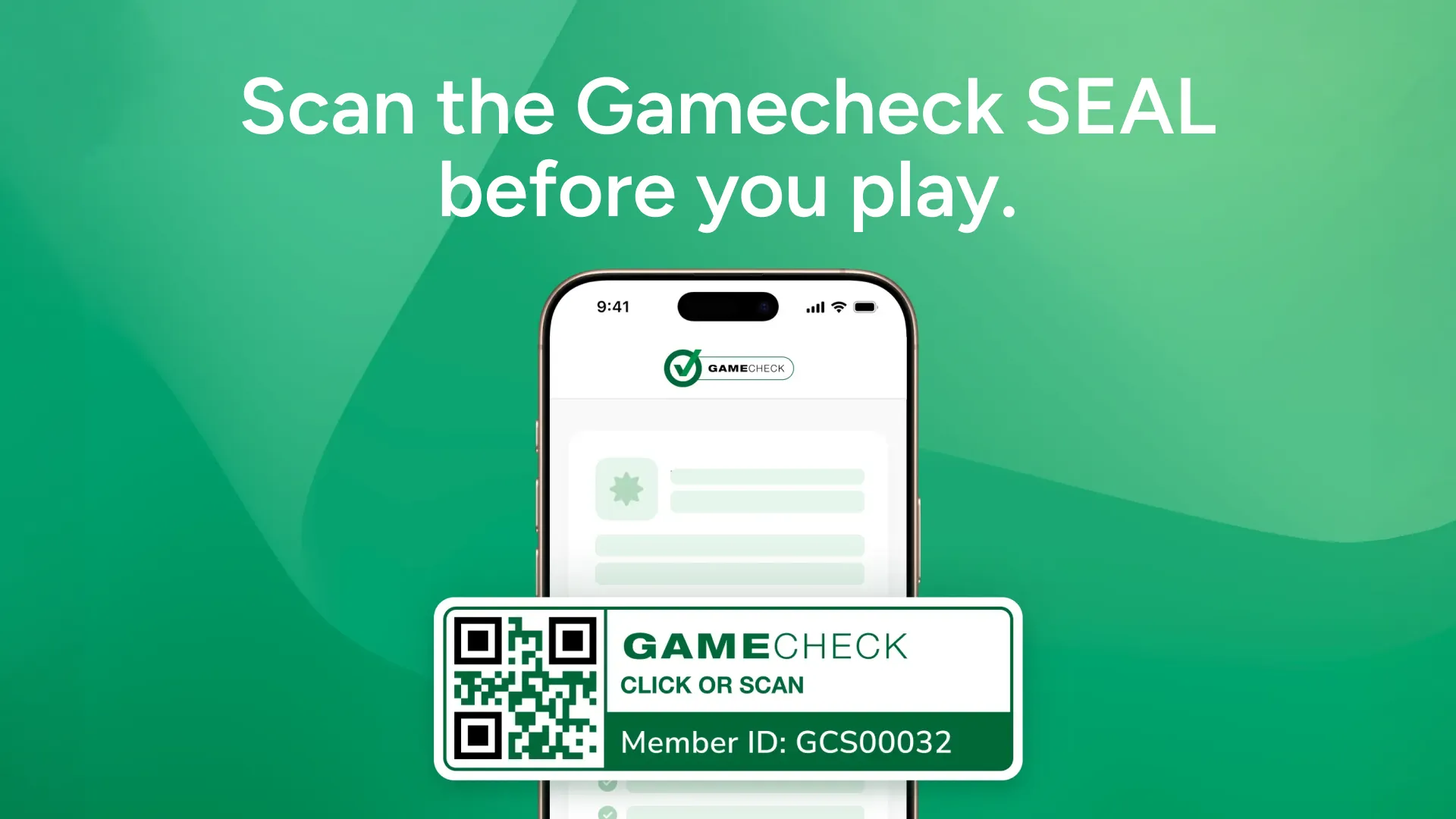
Checking the Gamecheck SEAL takes seconds. Find it in the footer of an online casino platform, then open the Gamecheck app and scan the SEAL to verify it. If it returns a verified profile, you know the games on that site have been checked by Gamecheck, and confirmed as real by the original game providers. If it doesn't, that's useful information too.
Before you play, scan the Gamecheck SEAL with the app. That's all it takes.